Pomo compared with FlowPomodoro timer comparison, November 2026
Flow is the best-known Pomodoro timer on Apple's platforms and the one Pomo was measured against while it was built. The two share a layout and a method. They differ in what the free tier includes and in what the timer looks like. This leaflet sets the two side by side, with the date on which the comparison was made.
Flow, in brief
Flow is made by Yugen GmbH in Frankfurt and runs on iPhone, iPad, Mac, Apple Watch and Apple Vision. Its listing describes a free tier that is free for good, without ads or sign-up, and the free tier is a complete timer: intervals, a choice of durations, statistics with graphs, break reminders and iCloud sync of the statistics. Flow Pro adds timer sync between devices, custom session titles, fully custom durations and cycles, app and web blocking, Apple Calendar sync and export. On the US App Store in November 2026 Pro was listed at $2.99 a month, $17.99 a year or $39.99 for life, and Flow's own site showed a lower monthly figure, so take the prices as approximate. Flow is rated 4.8 stars from about 1,800 US ratings as listed in November 2026, and it suits anyone who wants a quiet, flat, minimalist timer from a company that has shipped it for years.
Side by side
| Pomo | Flow | |
|---|---|---|
| Platforms | Mac, iPhone, iPad, Apple Watch | iPhone, iPad, Mac, Apple Watch, Apple Vision |
| Price of the free tier | Free; everything in the manual | Free; timer, durations, statistics, break reminders, iCloud sync of statistics |
| Paid tier and price | None. Everything is free, with no in-app purchases | Pro: $2.99 a month, $17.99 a year, $39.99 for life (US listing; the site showed a lower monthly price) |
| Timer sync across devices | No. The record syncs; each device runs its own timer | Pro |
| Statistics | Day, week, month, year; hours by session name; change against the period before | Statistics and graphs, free |
| Streaks | Daily use stamp; one session every three days keeps it | Not checked |
| iCloud or cloud sync | iCloud, record only, no account | iCloud sync of statistics, free |
| Calendar export | Apple Calendar, by hand or automatically | Apple Calendar sync, Pro |
| CSV export | CSV and text | Export, Pro |
| App blocking | Yes, Mac only | Pro |
| Website blocking | Yes, Mac only; Safari, Chrome, Arc, Brave, Edge, Vivaldi, Opera | Pro |
| Apple Watch | Start, pause, skip; haptic tap | Yes |
| Widgets and Live Activity | Home Screen widget; Live Activity with pause | Not checked |
| Task list | None; session names only | None noted; custom session titles are Pro |
| Account required | No | No |
| Ads in free tier | No | No |
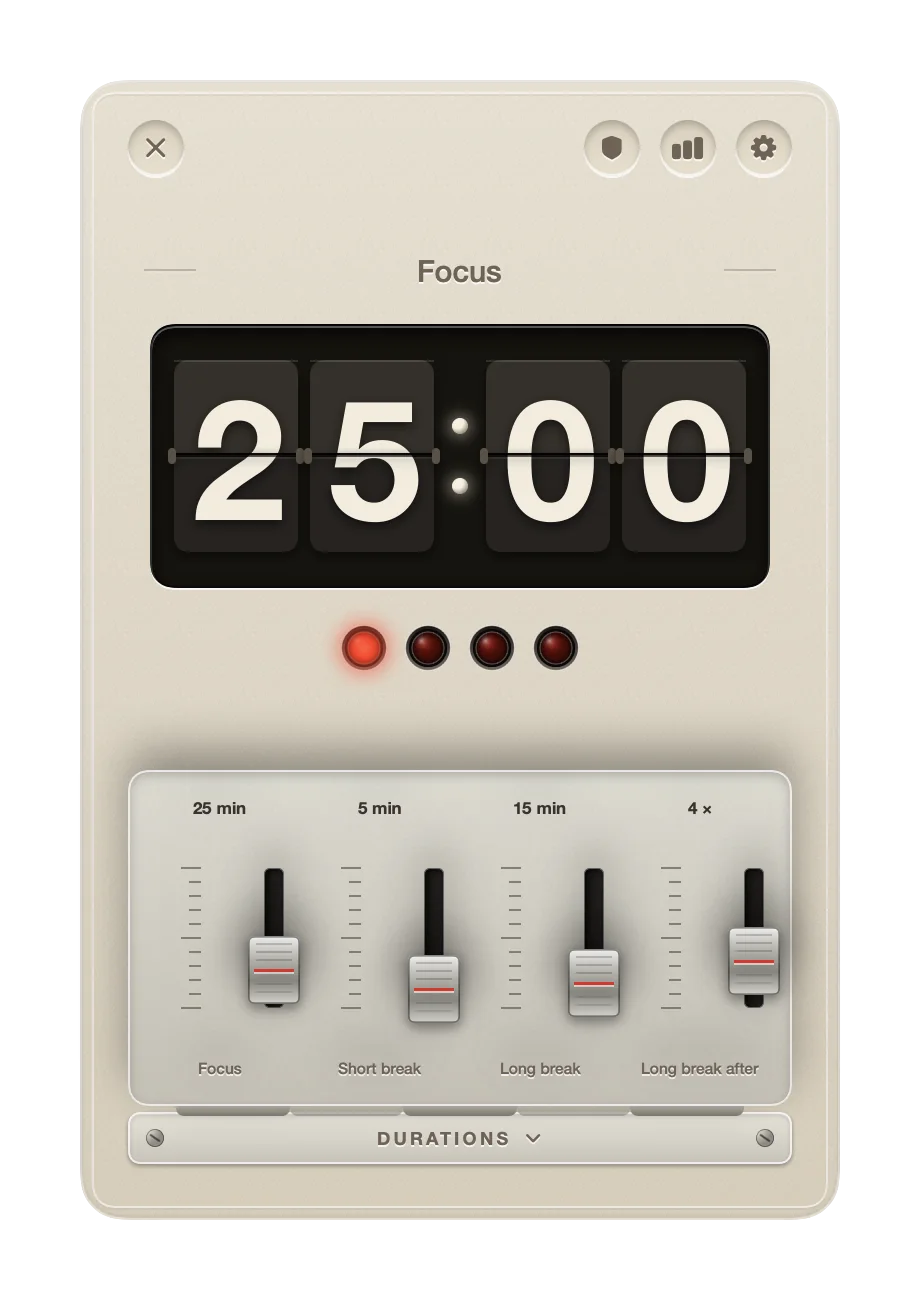
| Design | Split-flap display, four lamps, one red button; set like an owner's manual | Flat and minimalist |
Compared on 2 November 2026. Pomo's column is from this manual. Flow's column is from its public App Store listing and website as read on that date; details change, and a cell marked not checked means the point was not read for this leaflet. Pro in red marks a feature the other app sells in its paid tier.
Where Flow is better
Flow has been on the App Store for years and Pomo is awaiting its first review, so Flow has the record of ratings and Pomo has none yet. If you want a timer whose behaviour many people have already tested, that counts.
Flow Pro syncs the running timer between devices, so a session started on the Mac shows the same countdown on the iPhone. Pomo syncs the record of finished sessions through iCloud and leaves the running timer on the device that started it.
Flow runs on Apple Vision. Pomo does not.
Flow's design is flat and recedes into the background. If a split-flap display and a glowing button are more object than you want on the desk, Flow's quieter surface is the better fit.
Where Pomo is better
The list of things Flow sells in Pro is, almost item for item, the list of things Pomo includes for nothing: session names on the nameplate, durations set freely on the faders, Apple Calendar export by hand or automatically, CSV and text export, and on the Mac the app and website blocker with commitment mode.
Pomo's record carries a daily use stamp with a streak that survives a weekend off, a Home Screen widget with today's count, and a Live Activity with a pause button on the Lock Screen and in the Dynamic Island.
And the display flips. The split-flap leaflet explains why that matters for a timer.
Which to choose
Choose Flow if you want a proven, minimal timer, need the running countdown mirrored across devices, or use Apple Vision. Choose Pomo if you want the blocker, calendar and CSV export and named sessions without a subscription, and if you would rather look at a machine than a dashboard. Pomo is awaiting App Review in November 2026.
A Flow Pro CSV export can be read into Pomo. The Import button on the record card takes any sheet with a date, a start and a length, enters each session with its title, and passes over sessions already in the record.