The split-flap displayFlip clock Pomodoro timer for Mac and iPhone
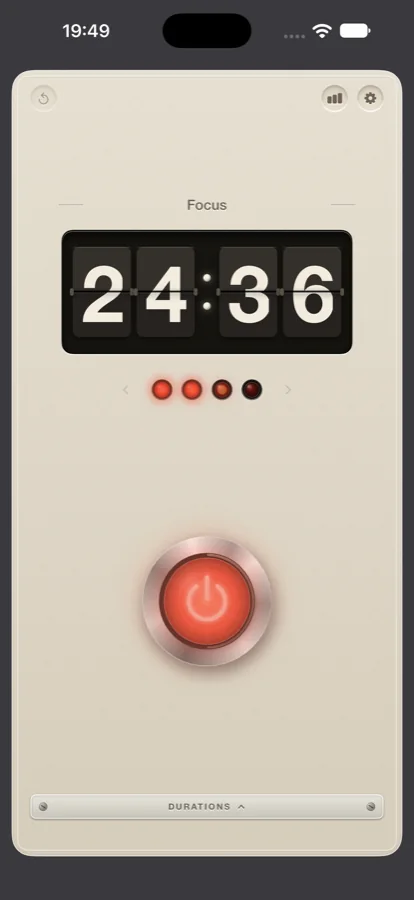
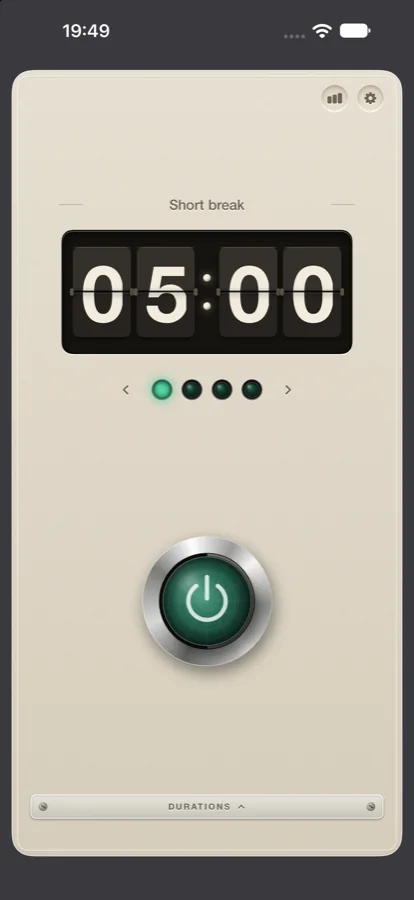
The part of Pomo that people remember is the display. Four cards in a dark well, and every time the number changes one of them turns over. This leaflet explains why a Pomodoro timer has a split-flap readout at all, how it was built, and what surrounds it.
Why the digits flip
A countdown is a number that changes. On most screens the number is simply redrawn, and the change is invisible: 24:36 becomes 24:35 and nothing seems to have happened. A split-flap display shows the change. The top of the card folds down, the new digit is there, and for a fraction of a second you know that time has passed. Departure boards used the same mechanism for the same reason. The clatter told the hall that something had changed before anyone had read what.
For a timer, that is the whole job: time passing should be visible without being loud. So the display is the one part of Pomo that moves, and everything around it is kept quiet. The lamp for the session in progress breathes slowly; the rest hold still. The button depresses when pressed and stays down. There is no feed, no dashboard, and nothing to scroll.
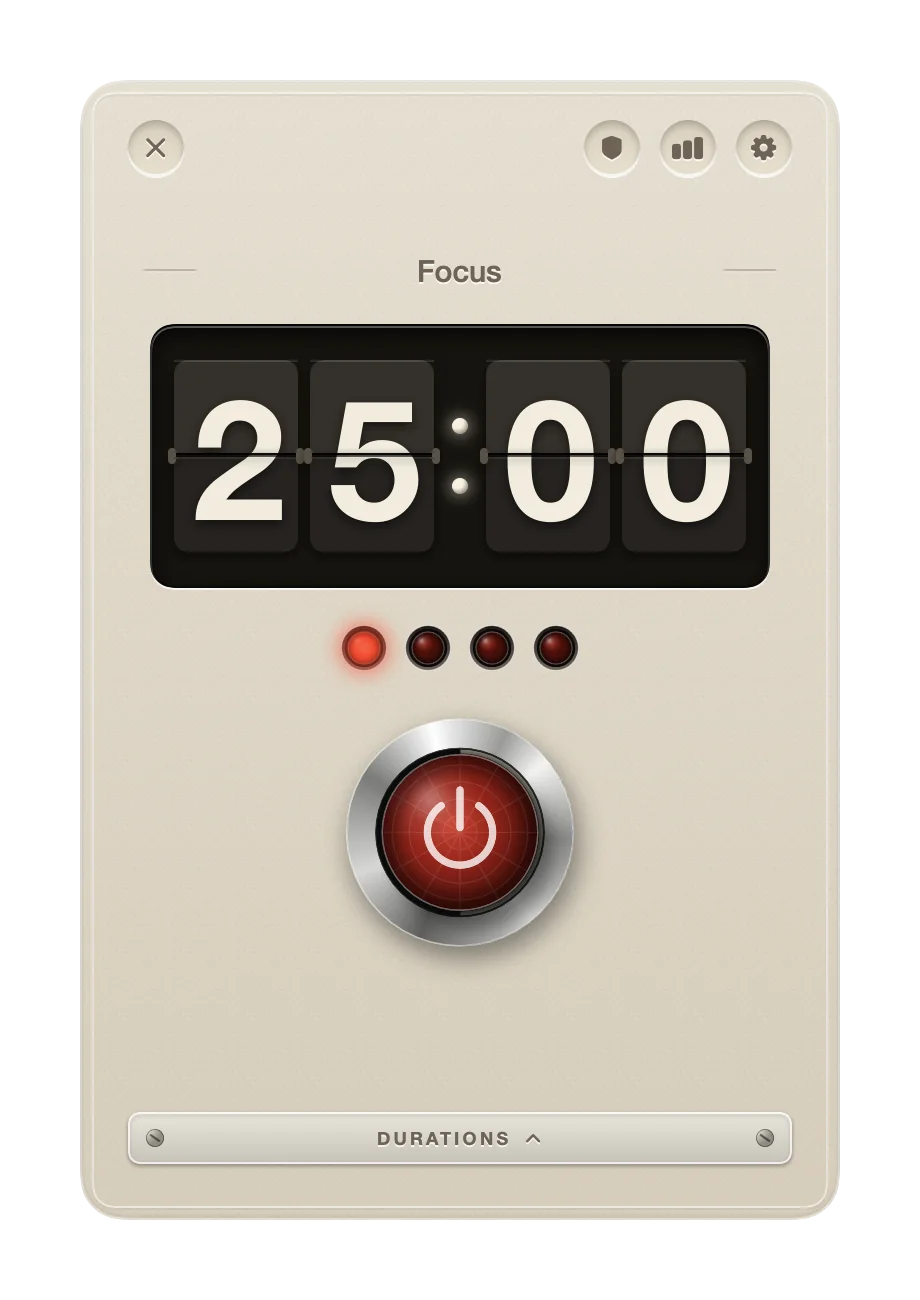
The design brief was a kitchen appliance from another decade: an eggshell enamel housing of the kind Dieter Rams drew for Braun, a display set into a dark recessed well, four jewel lamps for the cycle, and one chunky push button. The tomato of the Pomodoro method lives in the lamps and the button cap, and nowhere else.
How it was built
Pomo is written in SwiftUI, and the same display is drawn on the Mac, the iPhone, the iPad and the Watch from the same parts.
The cards
Each digit is its own card, with a top half and a bottom half and a hairline across the middle where the two meet. The top half carries a one-pixel bevel, and the digit sits across both halves. When a value changes, the top half folds down over about 180 milliseconds, and then the bottom half unfolds with the new digit beneath it. Only the card whose digit changed flips: the seconds card turns every second, the tens of minutes a few times an hour. The cards are dark grey on a near-black well, and the digits are cream.
The lamps
The four lamps are jewels of 14 points in a thin metal bezel. A lit lamp has a radial highlight and a soft glow around it; an unlit one is dark glass. One comes on for each session completed in the cycle, the one in progress pulses, and all four turn green for the break.
The button
The push button is 76 points across, a brushed-metal bezel around a convex enamel cap. Press it and the cap drops two points while its shadow shrinks, and the lamp inside warms up like a filament. The cap is tomato red during focus and leaf green during a break.
The housing
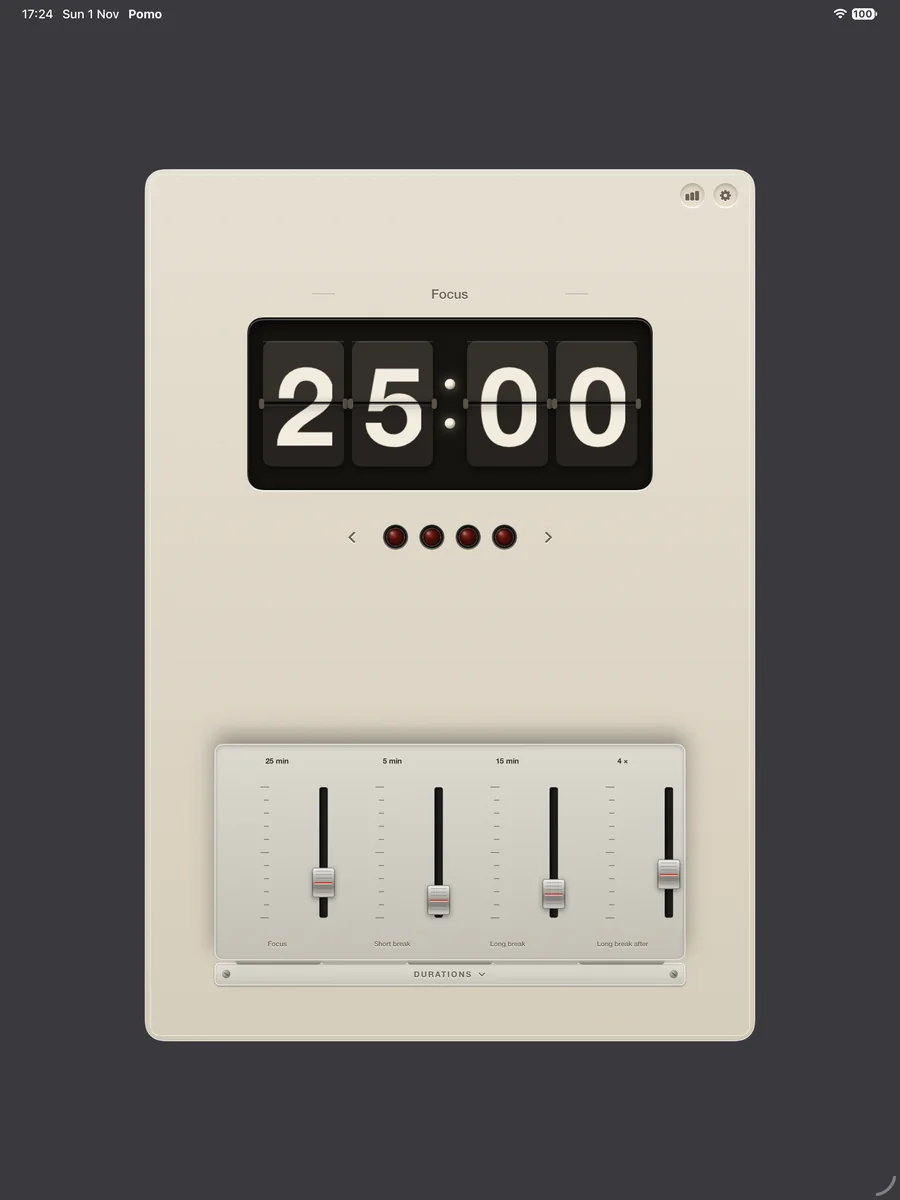
The housing is an enamel gradient with a one-pixel highlight at the top edge, a soft shadow at the bottom and a faint grain over the whole, with a corner radius of 22 points. Below the display is the little door marked Durations; behind it are the four faders. On the Mac the countdown is repeated in the menu bar beside a tomato glyph.
- DisplayFour split-flap cards, minutes and seconds
- FlipAbout 180 ms, top half down, bottom half up
- LampsFour, 14 pt, red for focus and green for rest
- ButtonOne, 76 pt, latching
- FrameworkSwiftUI, on all four platforms
The rest of the appliance
The display would be a flip clock on its own. What makes it a Pomodoro timer is the machinery around it.
- The cycle. 25 minutes of focus, a 5-minute break, and a 15-minute break after four. All four numbers can be changed on the faders.
- The bell. It rings when an interval ends, on every device, whether the app is open or not. A soft metronome tick is available for the focus minutes.
- The record. Every finished session is entered under the name on the nameplate. Read it by day, week, month or year, export it to Apple Calendar, CSV or text, and keep the daily use stamp for the streak. It syncs through iCloud with no account.
- On the Mac, the app runs in the menu bar with no Dock icon unless you want one, and it keeps listed apps hidden and listed websites shut while a session runs. See the blocker leaflet.
- On iPhone, the countdown stays on the Lock Screen and in the Dynamic Island with a pause button. See the iPhone and iPad leaflet.
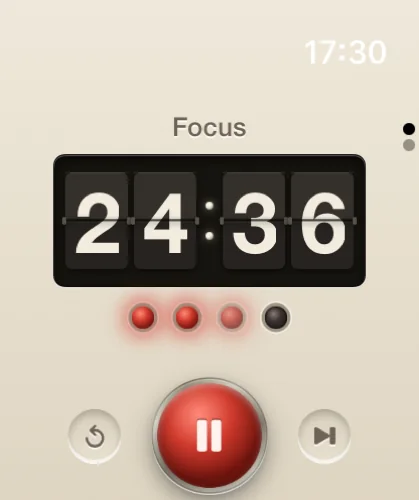
- On Apple Watch, start, pause and skip from the wrist, with a tap when the interval ends. See the Apple Watch leaflet.
Pomo keeps no task list, and there is no version for Android, Windows or the web. It is free, with no account and no ads, and runs on macOS 15, iOS 17 and watchOS 10 or later. For revision use, see the study timer leaflet.
Figures