Pomo compared with SessionPomodoro timer comparison, November 2026
Session is the premium reference for a Pomodoro timer joined to a blocker and a calendar. It does more than Pomo in several directions and charges for most of it. This leaflet sets the two side by side, with the date on which the comparison was made.
Session, in brief
Session is made by Translucent LLC and runs on the Mac, by direct download or from the App Store, as well as on iPhone, iPad, Apple Vision and, for notifications, Apple Watch. The free tier allows unlimited sessions but shows analytics for the past two days only. Session Pro was listed at $4.99 a month or $39.99 a year on the US store in November 2026, with no lifetime option. It opens the full log and adds website and app blocking on the Mac, Slack muting, real-time sync across devices, automatic Apple Calendar events, global keyboard shortcuts, AppleScript and Shortcuts support, dark mode and cloud backup. The seven-day trial of Pro requires an account. Session is rated 4.8 stars from about 360 US ratings on iOS as listed in November 2026. It suits people who work at a Mac all day, mute Slack while they do, and want their sessions scripted into the rest of their tools.
Side by side
| Pomo | Session | |
|---|---|---|
| Platforms | Mac, iPhone, iPad, Apple Watch | Mac (App Store and direct download), iPhone, iPad, Apple Vision; Apple Watch for notifications |
| Price of the free tier | Free; everything in the manual | Free; unlimited sessions, analytics for the past two days |
| Paid tier and price | None. Everything is free, with no in-app purchases | Pro: $4.99 a month or $39.99 a year; no lifetime (US listing) |
| Timer sync across devices | No. The record syncs; each device runs its own timer | Real-time sync, Pro |
| Statistics | Day, week, month, year; hours by session name; change against the period before | Past two days free; the full log is Pro |
| Streaks | Daily use stamp; one session every three days keeps it | Not checked |
| iCloud or cloud sync | iCloud, record only, no account | Cloud backup, Pro |
| Calendar export | Apple Calendar, by hand or automatically | Automatic Apple Calendar events, Pro |
| CSV export | CSV and text | Not checked |
| App blocking | Yes, Mac only | Mac only, Pro |
| Website blocking | Yes, Mac only; Safari, Chrome, Arc, Brave, Edge, Vivaldi, Opera | Mac only, Pro |
| Apple Watch | Start, pause, skip; haptic tap | Notifications, as listed |
| Widgets and Live Activity | Home Screen widget; Live Activity with pause | Not checked |
| Task list | None; session names only | None noted |
| Account required | No | For the Pro trial |
| Ads in free tier | No | No |
| Design | Split-flap display, four lamps, one red button; set like an owner's manual | Minimal; dark mode is Pro |
Compared on 2 November 2026. Pomo's column is from this manual. Session's column is from its public App Store listing and pricing page as read on that date; details change, and a cell marked not checked means the point was not read for this leaflet. Pro in red marks a feature the other app sells in its paid tier.
Where Session is better
Session reaches further into the Mac than Pomo does. Pro users get Slack muting during a session, global keyboard shortcuts, and AppleScript and Shortcuts support, so a session can trigger whatever else the machine should do. Pomo has none of these; it hides apps, turns websites away and rings a bell.
Session Pro syncs the running timer between devices in real time. Pomo syncs the record of finished sessions through iCloud, and each device runs its own timer.
Session runs on Apple Vision and can be installed on the Mac outside the App Store. It has been shipping for years and carries a rating; Pomo is awaiting its first App Review.
Where Pomo is better
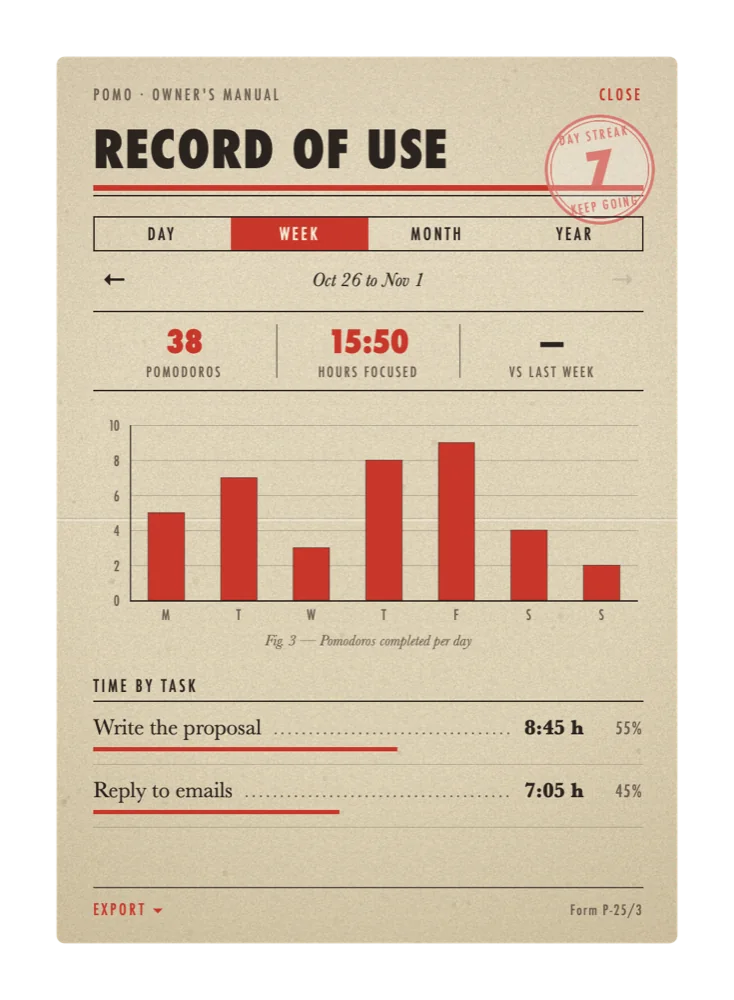
Session's free tier shows the last two days of your statistics. Pomo's record of use is open all the way back, by day, week, month and year, with hours by session name and the change against the period before, and it is free.
The Mac blocker, with commitment mode and the fullscreen break, is free in Pomo and Pro in Session. Apple Calendar export, by hand or automatically, is free in Pomo and Pro in Session. CSV and text export are free in Pomo.
There is no account anywhere in Pomo, for a trial or for anything else; the record travels through your own iCloud. On Apple Watch, Pomo starts, pauses and skips the timer from the wrist, where Session's listing describes notifications.
Which to choose
Choose Session if you want Slack muted, shortcuts and scripts fired, and the running timer mirrored on every device, and the Pro price is acceptable. Choose Pomo if you want the full record, the Mac blocker and calendar and CSV export for nothing and without an account. Pomo is awaiting App Review in November 2026.
Session's CSV and JSON exports are read directly by the Import button on the record card. Focus sessions are entered with their name and category; pauses and rests are passed over.