Pomo on iPhone and iPadPomodoro timer for iPhone and iPad
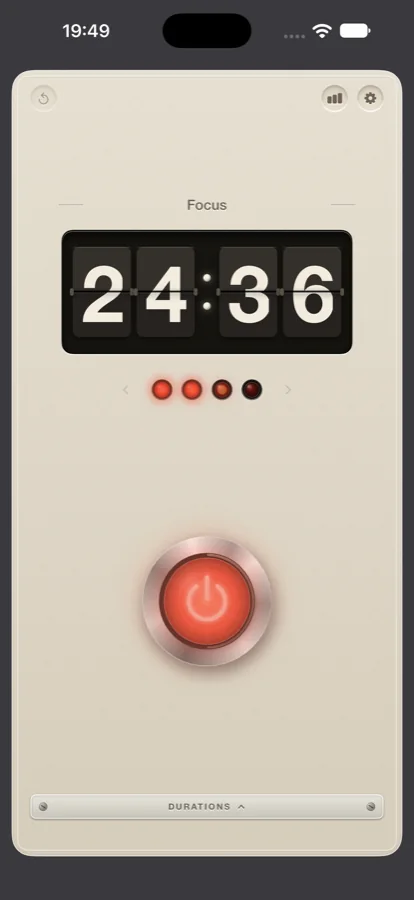
The same appliance as on the Mac: a split-flap countdown, four lamps, one red button and a door marked Durations. On iPhone the countdown follows you to the Lock Screen and the Dynamic Island, a widget keeps the streak in view, and every finished session goes into the one record shared with the Mac and the Watch. Free, with no account.
The Lock Screen and the Dynamic Island
Press the button and the display begins to flip. Put the phone down and the countdown carries on without you. On the Lock Screen it appears as a Live Activity with the time remaining and a pause button; on iPhones with a Dynamic Island it sits at the top of the screen while you use other apps.
When the interval ends, the bell arrives as a notification, whether the app is in front or not, and the next lamp comes on. The metronome tick, if you have it switched on, plays only while the app is in front.
Commitment mode is on the iPhone as well. With it on, pause and reset are locked until the session is done, and the pause button on the Lock Screen is bound by the same lock.
What the iPhone does instead of blocking
There is no app or website blocking on iPhone or iPad. That part of Pomo lives on the Mac, where an app is allowed to hide other apps and ask a browser for its tab; the blocker leaflet explains it.
The widget and the daily reminder
A Home Screen widget shows a quote for the day, the number of pomodoros finished today, and the length of your streak. The quote changes with the date; the two figures change as the record does.
The daily reminder is one notification at an hour of your choosing, on the hour, from five in the morning to ten at night. It stays off until you turn it on in the adjustments under Reminders. The text is a nudge to start a pomodoro; it does not start one for you.
The record and the daily use stamp
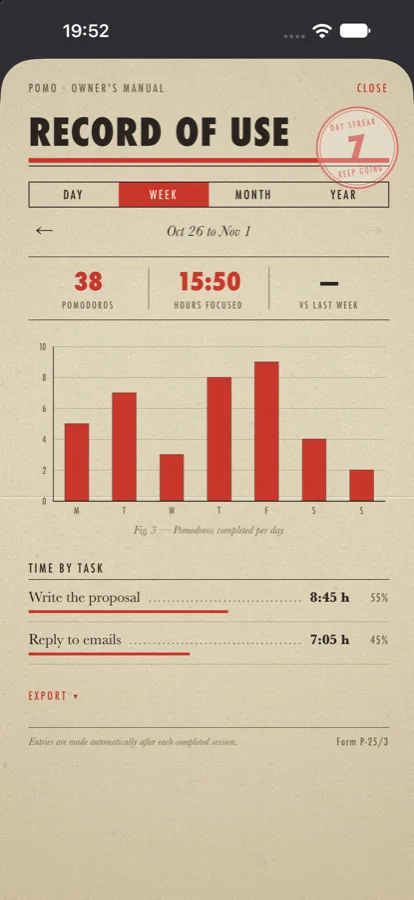
The chart icon opens the record of use. Read it by day, week, month or year. Each view shows the sessions as ink bars, the hours by task beneath them, and the change against the period before. Nothing in it has to be typed: a session is entered the moment the bell rings, with the title from the nameplate.
Export is on the same card. Transfer a period's sessions to Apple Calendar, where each becomes an event under its title, or save the record as text or CSV with one line per session. iOS asks for calendar access the first time you export and at no other time. A switch in the adjustments, Add finished sessions to Calendar, makes the transfer by itself from then on.
The daily use stamp
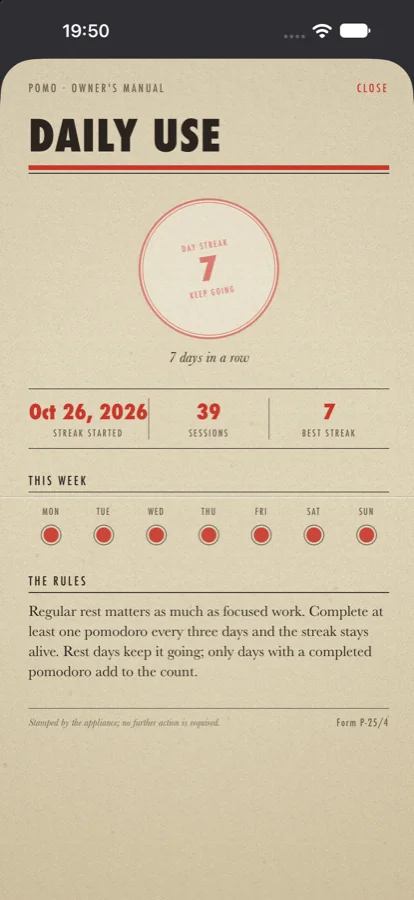
Pressing the stamp opens a card with the number of days in a row and the current week's dots beneath it. One finished pomodoro every three days keeps the streak alive, so a weekend away does not end it. Only days with a completed session add to the count. The stamp is read from the shared record, so a session finished on the Mac marks the day on the iPhone too.
iPad
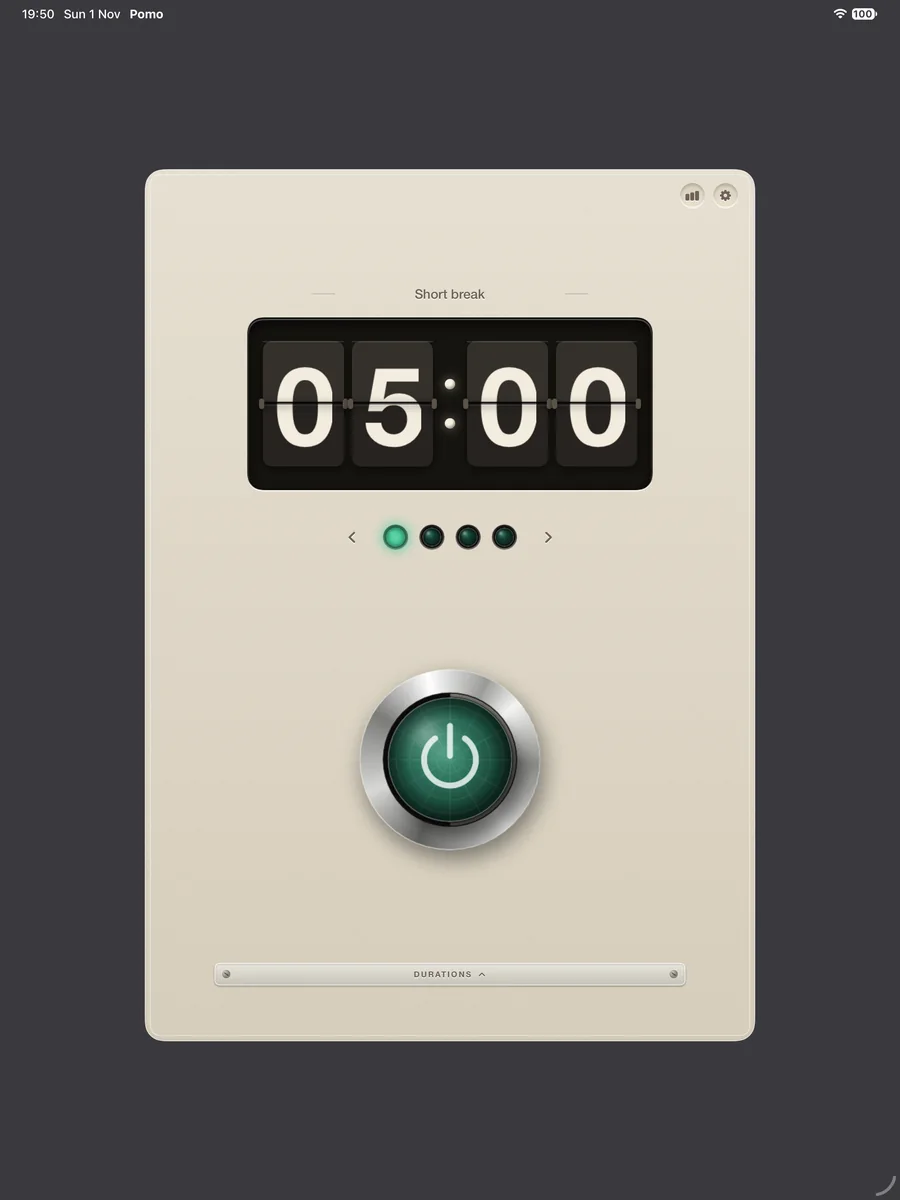
On iPad the appliance is the same, drawn larger. The display, the lamps, the button, the door, the record and the stamp are where they are on the iPhone, and sessions finished on the iPad go into the same record. The bell rings as a notification whether the app is in front or not.
The Dynamic Island is an iPhone part. On iPad the countdown is read from the display itself, which at that size can be seen from across a desk.
What syncs with the Mac and the Watch
The record travels through your own iCloud. Every device signed in to the same Apple Account shows the same sessions, the same hours by task and the same stamp. Sync takes minutes rather than seconds. There is no account with us, and only the record leaves the device, by way of iCloud.
The running countdown stays on the device where you pressed the button. Start a session on the iPhone and the Mac's menu bar does not pick it up; finish it and it appears in the Mac's record. The faders behind the door are also set on each device separately, so the iPhone can run 25 and 5 while the Mac runs 50 and 10.
The Apple Watch app is installed together with the iPhone app and runs its own countdown. The Watch leaflet has the details.
Requirements
- RequiresiOS 17 or iPadOS 17 or later
- Lock ScreenLive Activity with the countdown and a pause button
- Dynamic IslandOn iPhones that have one
- WidgetHome Screen; daily quote, today's pomodoros, streak
- ReminderOne notification a day at a chosen hour, off by default
- Standard cycle25 min focus · 5 min break · 15 min long break after 4, adjustable
- SynciCloud, your own account only
- ExportApple Calendar, CSV, text
- ImportPomo, Pomofocus, Session, Toggl Track, CSV, .ics
- BlockerMac only
- IncludedThe Apple Watch app
- PriceFree. No account, no ads, no tracking.